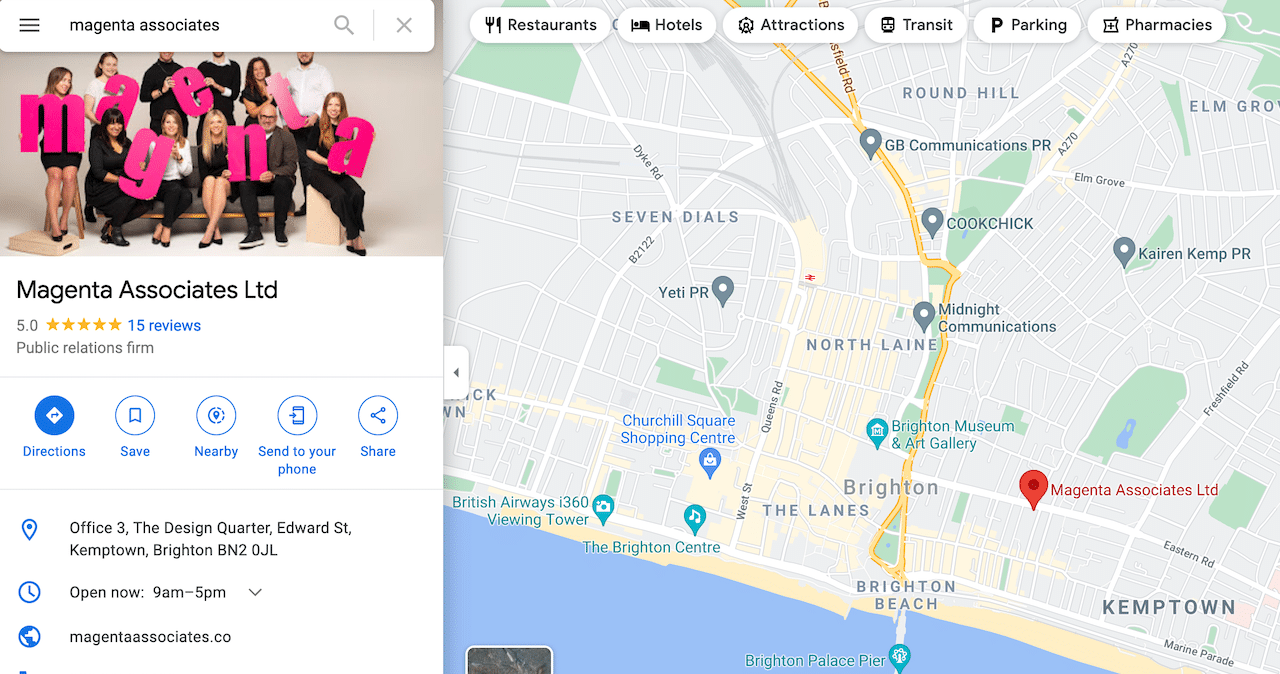
How often do you use Google Maps to search for a restaurant, hairdresser or supermarket in your area? Or use a search engine to look for a business near you?
Chances are, pretty often. HubSpot has some great stats on local SEO, including that 46 percent of all Google searches are looking for local information, and 88 percent of searches for local businesses on a mobile either call or visit within the next 24 hours.
Any business that doesn’t have a Google business listing is missing a trick. Of course, people do use other search engines, but I’ll focus on Google since it accounts for about 90 percent of online searches.
If you’re a business with a physical presence or a defined service area, your Google Business listing can be just as important as your website homepage.
Google Business Profile (GBP), previously known as Google My Business, is the panel that appears on Google Search and Maps when someone searches for your brand name or services in a specific location. It shows key details such as your address, opening hours, reviews, photos and a link to your website.
For organisations in facilities management, workplace and property, where trust and local presence matter, a well-optimised listing helps you:
- Be discovered by people searching in your area
- Look credible and established at a glance
- Drive calls, website visits and enquiries straight from Search and Maps
In this updated guide, we’ll cover:
- How to claim and access your Google Business Profile in 2026
- Which fields to focus on for a strong first impression
- How GBP supports local SEO and paid media activity
Claiming and accessing your Google Business Profile
If you haven’t already claimed your listing, search for your business name and location on Google. If a panel appears on the right-hand side (desktop) or at the top of the page (mobile) and you see a link that says “Own this business?”, click it and follow the verification steps.
In 2026, you no longer manage your profile via a separate “Google My Business” dashboard. Instead, you manage it directly in Google Search and Google Maps:
- Make sure you’re signed in with the Google account that owns the profile.
- Search for your business name in Google.
- You’ll see a management panel appear above or alongside the results with options like “Edit profile”, “Read reviews” and “Add photos”.
- From here you can update most fields without leaving the search results.
This change is good news for busy marketing teams, it’s much quicker to make simple updates.
Key elements of a strong Google Business listing
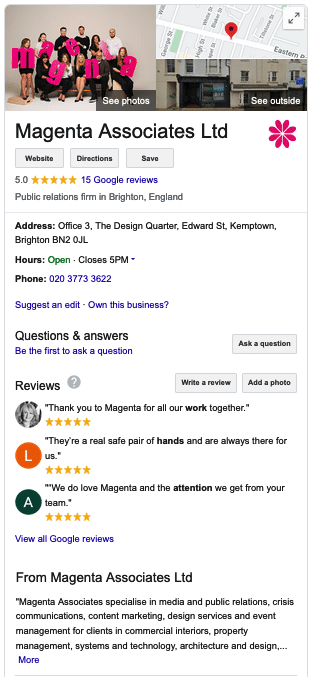
Once you’re in, make sure these core elements are complete and accurate.
Business name and categories
Your business name should be your actual trading name, not stuffed with keywords.
Choose a primary category that best reflects what you do. For FM, workplace and property brands this might be “Facilities management company”, “Property management company”, “Consultant” or similar, pick the closest match. You can add a handful of secondary categories if they’re genuinely relevant.
Address, service area and opening hours
Make sure your address and postcode are correct and consistent with your website and other directories. If you serve clients at their premises rather than at your own office, you can set a service area instead (for example “London”, “South East England”, or specific cities).
Add realistic opening hours, including special hours during holidays or one-off closures.
Phone number and website
Use a main phone number that will always be monitored, ideally one that’s also used on your website. Add your primary website URL and, if relevant, specific URLs for bookings or menus.
For FM and workplace clients who operate multiple regional offices, it’s worth ensuring each verified location links through to the most relevant local landing page where possible.
Business description
You have up to 750 characters for a short description. Use it to explain clearly:
- Who you are
- What you do
- Who you work with
- Where you operate
Avoid jargon and keyword stuffing, write naturally for a human reader.
Photos and videos
Profiles with photos perform better. Add:
- Your logo and a clear cover image
- Exterior and interior shots of your office or workplace
- Team photos (with permission)
- Images from recent projects, events or installations
For commercial interiors, workplace design or FM clients, this is a great place to showcase before/after office projects, fit-outs and workplace change programmes.
Reviews and responses
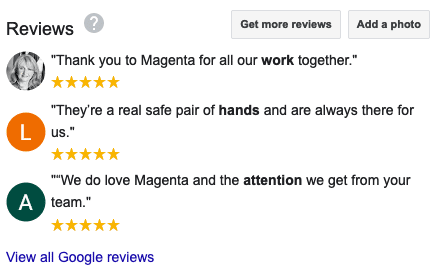
Reviews are a powerful trust signal. Encourage happy clients to leave reviews and always reply, even to negative ones. A short, polite response shows that you listen and care.
How Google Business Profile supports local visibility
An optimised GBP is a key ingredient in local SEO. When someone searches “facilities management company in Manchester” or “workplace consultancy near me”, Google looks at:
- Relevance – does your profile match what they’re searching for?
- Distance – how close are you to the searcher or specified location?
- Prominence – how well-known and trusted is your business online?
Keeping your profile complete, accurate and regularly updated helps on all three fronts. Combined with good on-site SEO and local landing pages, it increases your chances of appearing in the local pack (map results) as well as standard organic listings.
You can read more about our approach in our SEO case study for Business Moves Group.
Tying GBP into paid media and campaigns
Your Google Business Profile doesn’t just support organic search. It also plays a role in paid campaigns:
- Location extensions in Google Ads can pull information from your GBP, making ads more prominent.
- Local campaigns and branded search ads look more credible when your profile is complete and well-reviewed.
- Call and direction clicks from the listing can complement form-based lead generation.
For FM, workplace and property brands running campaigns in specific cities or regions, having accurate, fully optimised listings for each location helps both your local SEO and your paid performance.
You can find out more about how we connect local visibility with PPC on our Paid Digital Media service page.
Final thoughts
Your Google Business listing is often the first interaction a potential client has with your brand, especially at a local level. It’s worth taking the time to claim, complete and maintain it.
For many of our clients, a simple clean-up of their profiles, plus a plan to gather more reviews, has led to noticeable increases in calls and website visits from Google Maps and local search.
If you’d like help auditing or improving your Google Business Profiles as part of a broader digital strategy, our team at Magenta can help. We combine search engine optimisation and content marketing to improve visibility and generate leads for organisations in the built environment.
Contact us today to discuss your requirements.